Capture any page
Visible area, a selected region, a page element or the whole page. Fixed headers, sidebars and inner scrolling areas stay where they belong.
Screenshot and screen recorder for Chrome and Edge
Full-page screenshots, annotation, offline text recognition and screen recording with a built-in video editor. Everything runs on your device.
No account. No watermark. 10 languages.
Capture pages from any site you use, like
Capture a full page from top to bottom with one key combination. No DevTools, no stitching, no upload.
How it works
Browser DevTools
4 steps
Clearscreenshot
1 shortcut
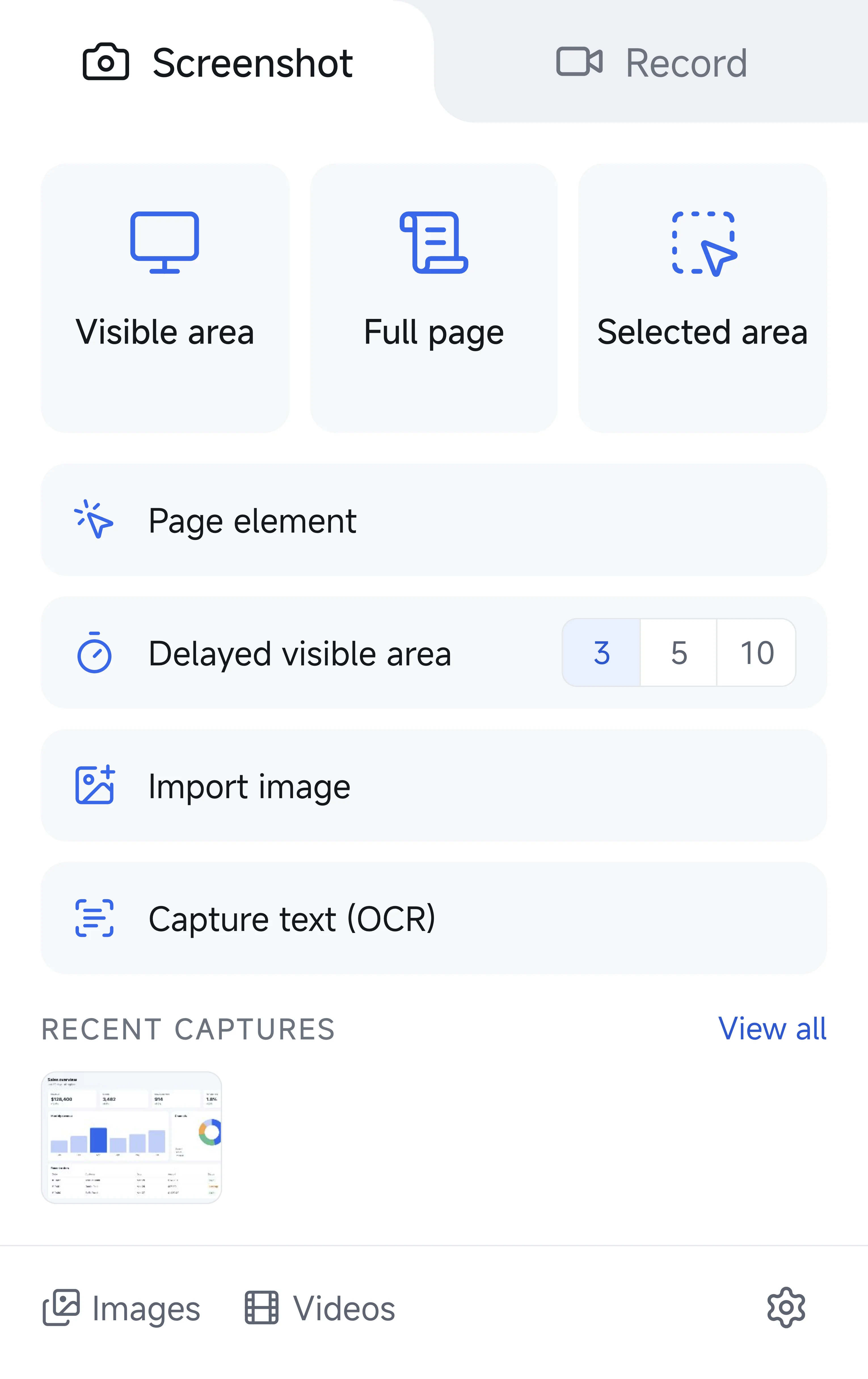
Visible area, a selected region, a page element or the whole page. Fixed headers, sidebars and inner scrolling areas stay where they belong.
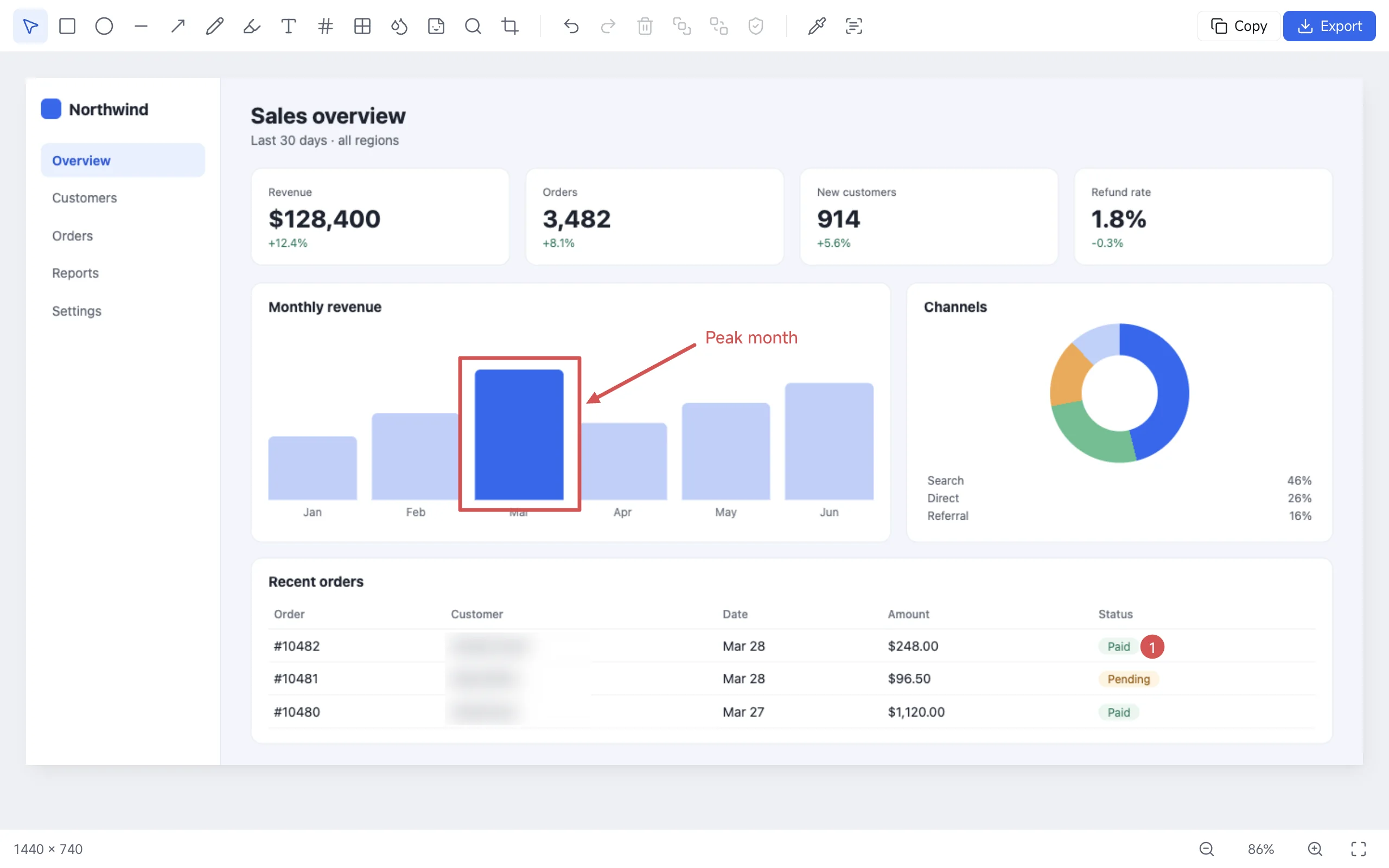
Arrows, shapes, numbered steps, text, blur and mosaic. Auto-redact finds emails, phone numbers and card numbers so you can hide them in one click.
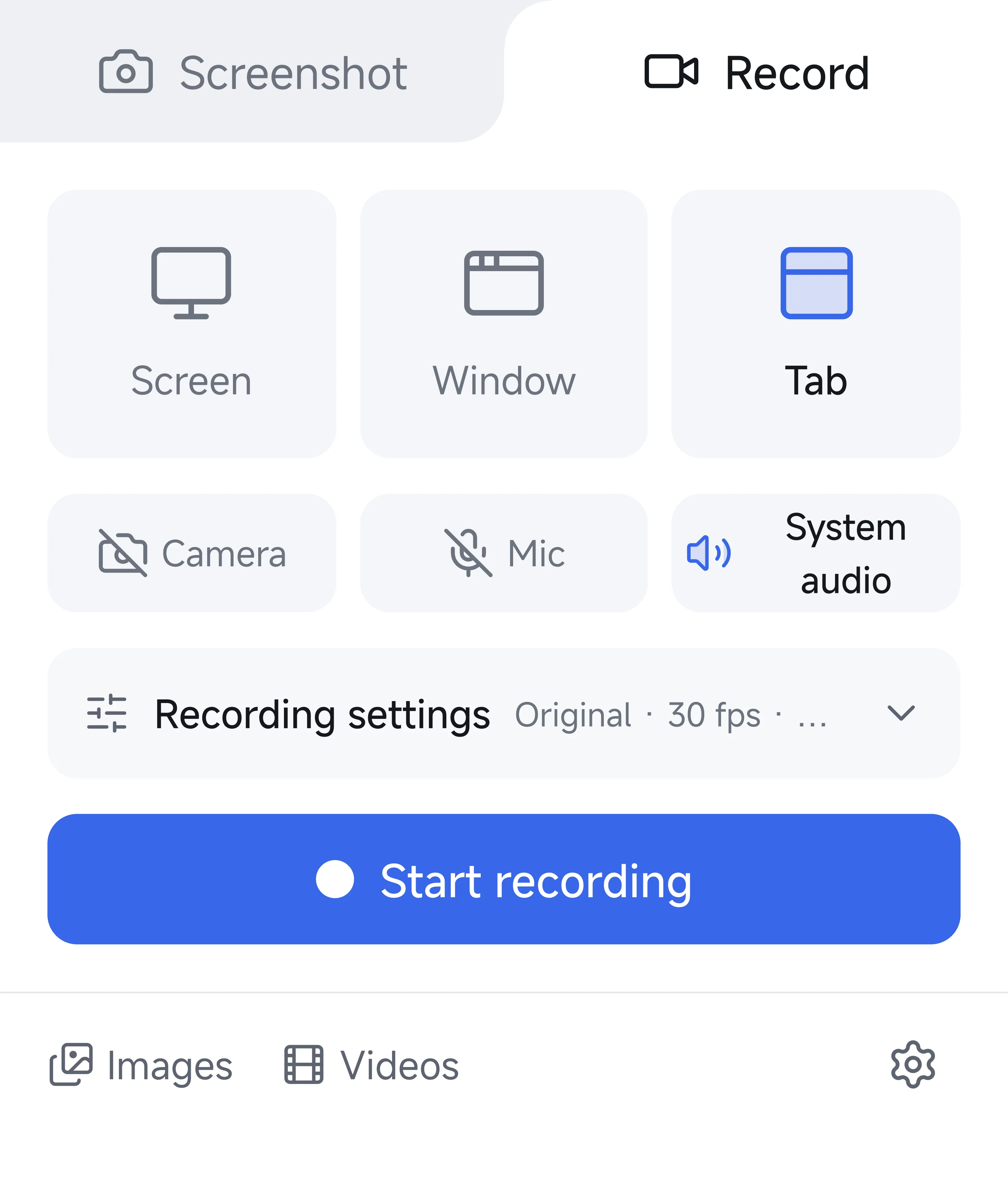
Record a tab, a window or the whole screen with microphone, camera and system audio. Trim, change speed and export MP4, WebM or GIF. No time limit, no watermark.
Visible area, a selected region, a page element or the whole page.
Arrows, shapes, numbered steps, blur, and one-click auto-redact.
Record, trim, change speed and export MP4, WebM or GIF.
Built around how you work
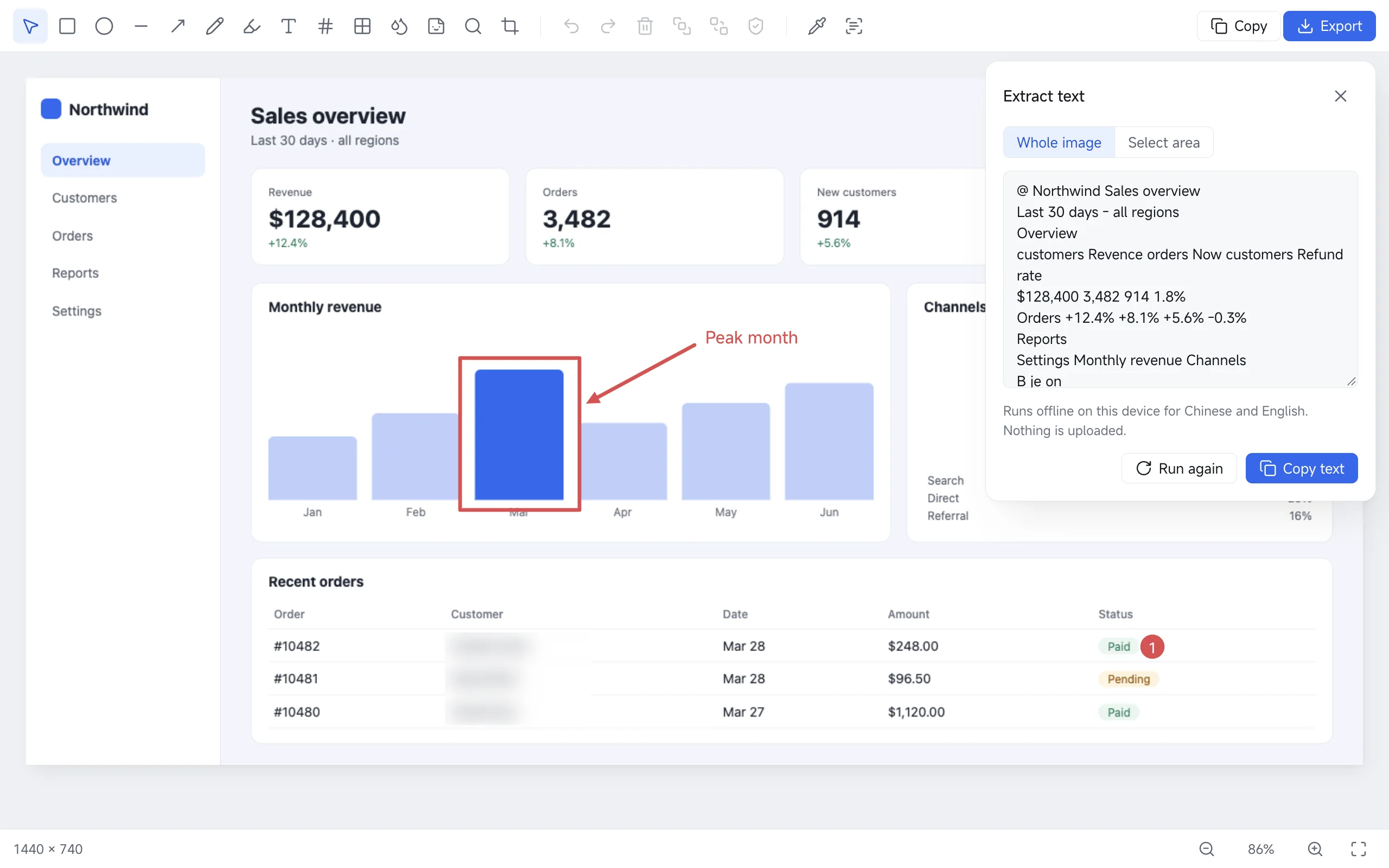
Select a region or the whole image and copy the text out. Chinese and English recognition runs offline on your device, so confidential screens stay confidential.
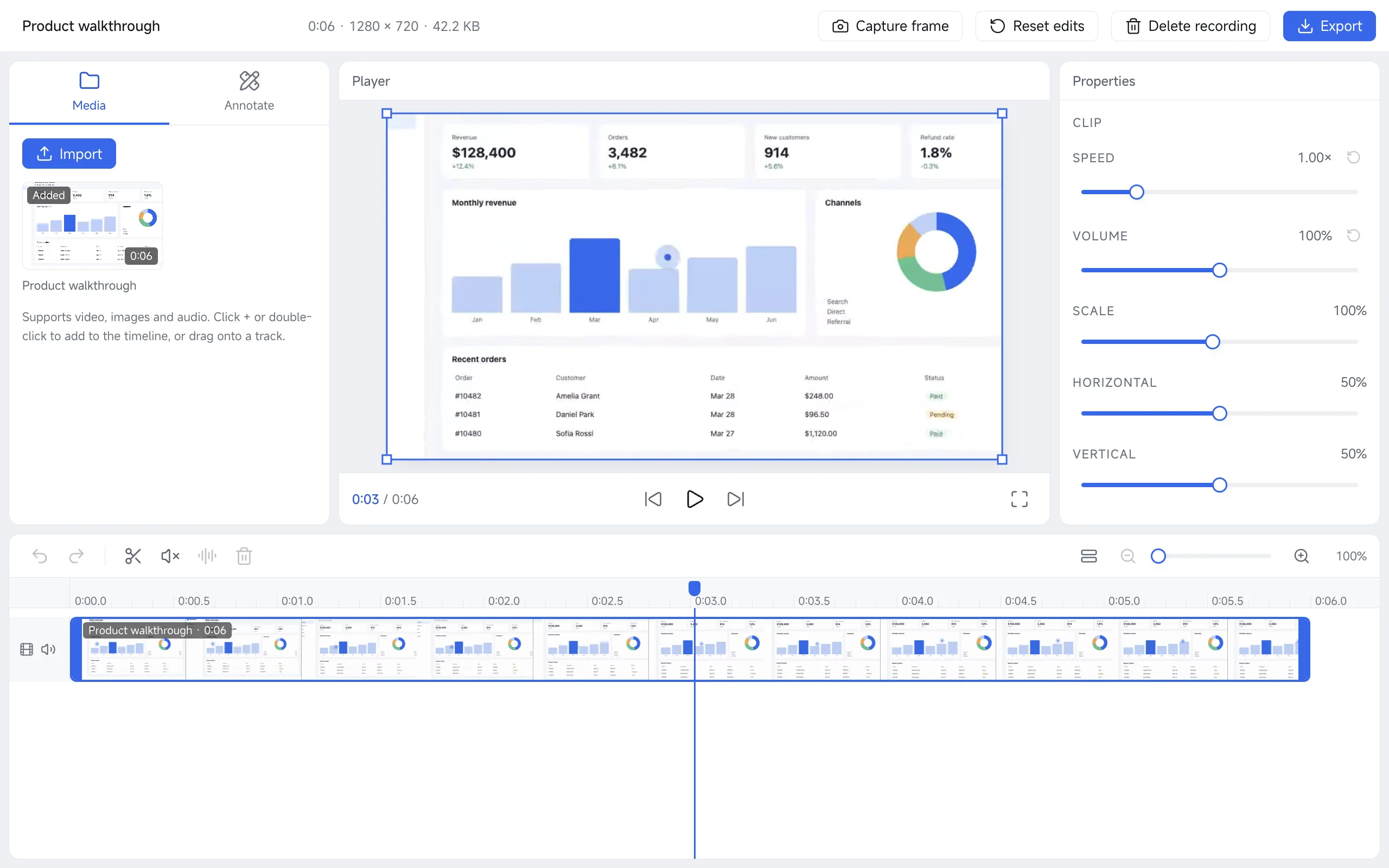
Split, trim, speed up, add text, arrows and blur, drop in extra clips and audio. Export MP4, WebM or GIF without leaving the browser.
Shortcuts for region, visible area, full page and recording. A right-click menu, local history and light or dark themes. Your last captures are always one click from the toolbar.
AltShiftSVFR
Auto-redact
Clearscreenshot finds emails, phone numbers, ID numbers and card numbers on the page and blurs them in one click. Scroll to watch it work.
0 of 5 items hidden
Clearscreenshot has no accounts, no analytics and makes no network requests. Screenshots, recordings and history live in your browser. It asks for no access to the sites you visit, only the page you choose, when you choose.
Who it's for
Writers and docs teams
Long pages become one clean image.
Fixed headers and sidebars stay where they belong, so the capture looks like the page you saw.
See how it works1shortcut0uploads
QA and support
Blur the email, number the steps, copy the image.
Done before the ticket is even open.
Designers
Capture one element, pixel-perfect.
Magnifier selection, then export with background, rounded corners and shadow.
Developers
Record the bug, trim it, ship a GIF.
Split, speed up and annotate in the same tab. No upload, no watermark, no time limit.
See how it works3formats0watermarks
Teams that can't upload
Nothing leaves the device.
Recognition, history and recordings are stored locally. You decide when anything is saved or shared.
Researchers and analysts
Pull the text out of any screenshot.
Select an area or the whole image and copy the text. Chinese and English recognition runs offline.
See how it works2languagesofflinealways
Everyone else
One icon. Two modes.
Screenshot or record from the same popup, in your own language, from the toolbar or a shortcut.
See how it works10languages1popup
FAQs
Click the Clearscreenshot icon and choose Full page, or press Alt+Shift+F. Fixed headers, sidebars and inner scrolling areas are handled for you, and the result opens in the editor.
No. Capturing, editing, text recognition and export all happen inside your browser. The extension makes no network requests and has no analytics. Recordings and history are stored locally on your device.
Chrome and Edge (version 116 or later). It's available from the Chrome Web Store.
No. There is nothing to sign up for. Optional settings sync uses your browser account and never includes screenshots.
No watermark and no time limit. Long recordings are written to local storage in small pieces as you record, so they stay stable.
A tab, a window or the whole screen. You can add your microphone, system audio and a camera bubble. The camera appears as its own draggable window and is never uploaded.
Afterwards you can trim, change speed, add text, arrows and blur, and export MP4, WebM or GIF.
Yes. Auto-redact finds emails, phone numbers, ID numbers and card numbers on the page so you can blur them in one click. You can also draw blur or mosaic by hand.
No. Recognition for Chinese and English runs offline on your device, on the whole image or on a selected area.
Browser-owned pages such as chrome:// pages and the Web Store are blocked by the browser itself. Clearscreenshot only gets access to the page you choose, at the moment you choose.
The interface comes in Chinese (Simplified and Traditional), English, Spanish, Portuguese, Japanese, Korean, German, French and Russian. Text recognition currently supports Chinese and English.
Email clearscreenshot@gmail.com. Tell us the page that didn't capture well and we'll look at it.

Install Clearscreenshot, press Alt+Shift+F on any page, and the whole page is one image. Free, no account, nothing uploaded.
Add to Chrome, it's free